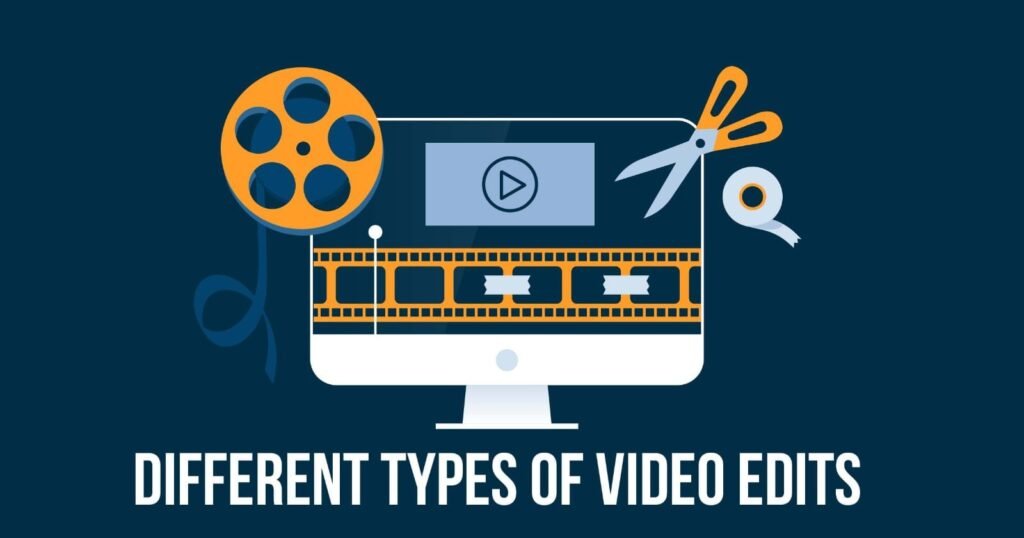
different types of video edits
Video editing is an essential phase of the content creation process that helps narrators change their raw footage into engaging and impactful videos.
Editing videos opens almost unlimited creative possibilities, you can go for simple cuts and transitions or the complex visual effects and color grading.
In this comprehensive guide, we will explore several video editing techniques and the ways in which they can enhance your videos with different types of video edits
Basic Video Editing
Begin by learning the basics of the basic methods of editing video. Learn to cut and rearrange your clips use simple transitions, change the audio level, and even incorporate text overlays. Basic video editing is great for making concise and simple videos, like interviews, vlogs, and brief promotional videos.
different types of video edits
Montage Editing
Montage editing involves the creation of sequences of photos which convey a certain message or trigger a particular emotion. This technique is typically employed in music videos travel videos, as well as highlight reels. Learn to sync visuals with sound effects or music using creative transitions and keep a steady rhythm to attract your viewers.
Narrative Editing
Narrative editing is a form of the telling of stories, and footage is meticulously arranged to provide a cohesive narrative structure. Be aware of the importance of sequence as well as pacing and continuity to develop a smooth and compelling story. Learn how to use techniques like flashbacks, editing in parallel and cross-cutting in order to boost the impact of your video.
Documentary-style Editing
Documentary-style editing involves assembling real-life footage in order to tell non-fictional stories. Learn how to arrange interviews, overlay images and include narration or voiceovers. Learn the importance of pacing, footage from archives and making sure your narrative in order to create captivating documentary-style videos.
Special Effects Editing
Special effects editing involves the addition of visual elements that extend beyond the footage in its entirety. Try techniques such as the use of chroma keys (green screen) motion tracking and compositing to integrate visual effects in a seamless manner. From creating amazing scenes to adding more the action sequences Special effects editing gives a new dimension of creativity and aesthetic appeal for your video.
Color Grading
Color Grading is the process altering the colors and tones of your video to improve the mood and create a more ambiance. Learn to adjust the intensity, contrast and color balance to achieve your desired aesthetic. Know the different types of color-grading like warming tones, for an nostalgic feel or desaturated colors to create rougher, more textured look.
Motion Graphics
Motion graphics are the process of using animation, texts and graphic overlays that enhance the visual narrative. Learn how to make engaging titles as well as lower thirds of the screen, animation logos and dynamic infographics by using specific software. Include motion graphics in your videos to provide an overview of the content, highlight important details or add a bit of visual appeal to your videos.
Virtual Reality (VR) Editing
As VR technology grows in recognition, VR editing has emerged as a field that is specialized. Learn to edit immersive 360-degree video as well as navigate through a variety of perspectives, and incorporate interactivity to make for a an immersive experience. Discover the unique storytelling possibilities and challenges that VR editing presents. editing.
Social Media Video Editing
With the growth popularity of platforms for social media, editing videos for social media has specific requirements. Know how to optimize your videos for various platforms, like vertical (portrait) editing videos for Instagram Stories and video squares for Facebook. Know the importance of capturing the attention of viewers quickly, including captions, and creating attractive thumbnails.
Collaborative Editing
Collaborative editing is the process of working with an editor team or clients. Learn how to collaborate effectively and arrange project files, handle revision control, and provide constructive feedback. Explore tools for collaborative editing and platforms that speed up editing and enable effective communication.
Online Editing
Editing online is the last stage of post-production for video The edited video is refined and polished prior to distribution. This process includes audio mixing, color correcting and incorporating visual effects to guarantee the best quality output. As opposed to offline editing online editing utilizes the highest quality footage to preserve the quality and clarity in the finished product. By focusing on the technical details online editing makes sure that the final product meets standards of the industry and appears flawless across all devices.different types of video edits
Offline Editing
Offline editing is a preliminary step in post-production of video, editing with lower resolution copies of original footage in order to create rough cuts. This process saves computer resources and speeds up edits. After the rough cut has been finished, it’s aligned with the high-resolution footage in the online editing phase. This allows editors to play around and improve their edits without having to worry about technical limitations.different types of video edits
Bespoke Editing
Bespoke editing is the process of adapting the editing process to the particular needs as well as preferences of the customer or project. This method of bespoke editing allows for an additional personal finish, making sure that the final product is in line exactly with the objectives and vision of the key players. It typically incorporates special effects, unique transitions and special effects designed specifically for the particular project. By focusing on the specific requirements of each client the bespoke editing process creates an original and distinctive video that stands out from other productions.different types of video edits
different types of video edits
Live editing
Live editing allows for real-time editing during a live event or broadcast that allows instant adjustments and seamless integration of media elements. This method is commonly used for live broadcasts, newscasts and concert performances, where the editing team must change angles of the camera, insert graphics, and adjust audio levels in real-time. Efficiency and speedy decision-making is essential in live editing to create the best possible viewing experience. The ability to quickly adapt to new situations is what makes live editing an exciting and demanding aspect in video editing.different types of video edits
Linear Editing
Linear editing refers to a common technique for editing videos which involves the selection and arrangement of videos in a chronological arrangement, generally on videotapes. This process requires that the editor perform the process step-by-step editing the video according to the order in which they appear from beginning to end. When a modification is made editing and going back to modify older parts of the edit can be time-consuming. Even with its limitations linear editing is appreciated because of its ease of use as well as the discipline that it imparts when planning each edit with care.different types of video edits
Non-Linear Editing (NLE)
Non-Linear Editing (NLE) revolutionized video production by allowing versatility and effectiveness. This method of digital editing lets editors gain access to any video clip, irrespective of sequence, allowing editors to rearrange and change segments without affecting the footage as it was originally recorded. NLE gives you more creative control and allows for complicated edits, effects and seamless transitions. The most popular NLE program include Adobe Premiere Pro, Final Cut Pro as well as Avid Media Composer. All of these come with a range of tools that can help optimize your editing workflow.different types of video editsdifferent types of video editing styles
Standard cut
A standard cut can be described as the simplest and most commonly used cut used in video editing. It is a simple transition between one clip and the next, with no extra effects or transitions. This type of cut is perfect to keep the flow of narration and ensures a smooth flow of scenes. By cutting simply from one shot to the next, the standard cut will keep your viewers’ attention focused to the story, which makes it a vital tool for editors.different types of video editors
Jump cut
Jump cuts are a form of edit that creates the abrupt transition between two consecutive images that are only slight variations in composition or angle. The technique produces a striking effect, bringing attention to the passing of time, or emphasising the particular action. Jump cuts are frequently used in vlogs, interviews or to add a lively appeal to fast-paced videos. They can also interrupt the flow of a story, when done with care the jump cuts can bring out developments, speed up the narrative, or give the sense of urgency different types of video edits
cross cut (Parallel Editing)
Cross-cutting, also referred to as the parallel editing technique, can be described as a method that depicts the simultaneous happenings of two or more events simultaneously at different places. Through the use of alternating scenes, this technique builds tension and creates connections between the stories that are happening simultaneously. Cross-cutting can keep the audience interested by creating a sense tension and also improves the narrative by highlighting differences or similarities between the overlapping scenes.different types of video edits
Match cuts
Match cuts are an editing method where two images that are visually similar are juxtaposed to create seamless transitions that connect two separate situations or scenes. It can be accomplished by the matching of shapes, colors or other themes. Match cuts preserve the aesthetic continuity, and may be used to signal the connection or smooth the possibility of a jarring scene transition. This technique not only improves the visual flow, but can also help in storytelling by subtlely directing the audience’s focus.different types of video editing styles
L-Cut and J-Cut
L-Cuts and J-Cuts are two techniques that use audio and visual elements to create an organic flow between scenes. L-Cuts happen when the audio of the currently playing scene continues at the start of the next scene which means that an sound “tail” onto the brand new scene. In contrast, a J-Cut begins the audio of the next scene, while the visual from this scene being played, bringing to the sound “head” into the current shot. These techniques help to bridge scenes seamlessly, making it easier to transition between scenes and keeping the story’s rhythm.different types of video editing styles
there is lot of different types of video edits are available
Video editing charges in India vary based on factors like editor experience, project complexity, video length, and turnaround time. Basic edits may cost less, while professional or cinematic edits with effects, color grading, and motion graphics are priced higher.